A clean rebuild of NGINX with twenty-odd dynamic modules used to take this build host fourteen minutes. After turning on the five tools in this post, eatmydata, mold, ccache, distcc, and tmpfs, it takes ninety seconds. That is Debian package build optimization in one sentence. Same compiler. Same kernel. Same hardware. The difference is that the build stopped doing the dumb stuff: fsyncing every dpkg write, linking with a thirty-year-old linker, recompiling files that hadn’t changed, ignoring three idle machines on the LAN, and beating up an SSD for scratch files it would throw away in five seconds anyway. The Debian maintainer build docs cover the baseline workflow these tools accelerate.

None of this is specific to Debian packaging, these five tools speed up any C/C++ build: a kernel compile, an autotools project, a CMake tree, a Yocto image, a CI pipeline. The examples below are generic shell. Wire them into whatever build system you already use.

This is the whole shambam. Five tools, what each one actually does, how to plug them into your workflow, what they cost, and what they break. By the end you’ll know which ones to switch on tomorrow, which one to think twice about, and the order to enable them in so you can measure the wins individually instead of crossing your fingers and hoping.
Why your build is slow: Debian package build optimization starts here
Open htop during a real package build. You’ll see gcc use one core, hit 100%, then drop to zero for two seconds while dpkg unpacks a build-dep. Then one core again. Then ld single-threaded for forty seconds at the link step. Then make install writing five thousand files to disk one fsync at a time. Then the whole thing again for the next binary package in the same source.
The CPU isn’t the bottleneck. Almost nothing in a typical Debian build saturates a modern processor. The bottlenecks, in rough order of pain, are:
- fsync storms from
dpkg,apt,ldconfig, and friends installing build-deps and writing the final.deb - Single-threaded linking with
ldor evengoldon anything with a lot of static libraries (looking at you, NGINX with twenty modules) - Pointless recompilation of files whose source bytes are identical to last time
- One-machine parallelism: your
-j$(nproc)stops at the box you’re sitting at, ignoring every other Linux machine on your LAN - SSD as scratch space:
build/,obj-*/,tmp/, all writing temp files you’ll delete in ten seconds anyway, with the kernel journaling each write
Each tool below kills one of those. Stack them and the compounded win is not 5× or 10×, on a from-scratch rebuild it can hit 20×. On an incremental rebuild after a tiny patch, with ccache warm, you can be looking at a 100× speedup over a cold first build. The Debian project literally documents a 30–70% wall-clock reduction from eatmydata alone on chroot-heavy workflows. We’ll get there.
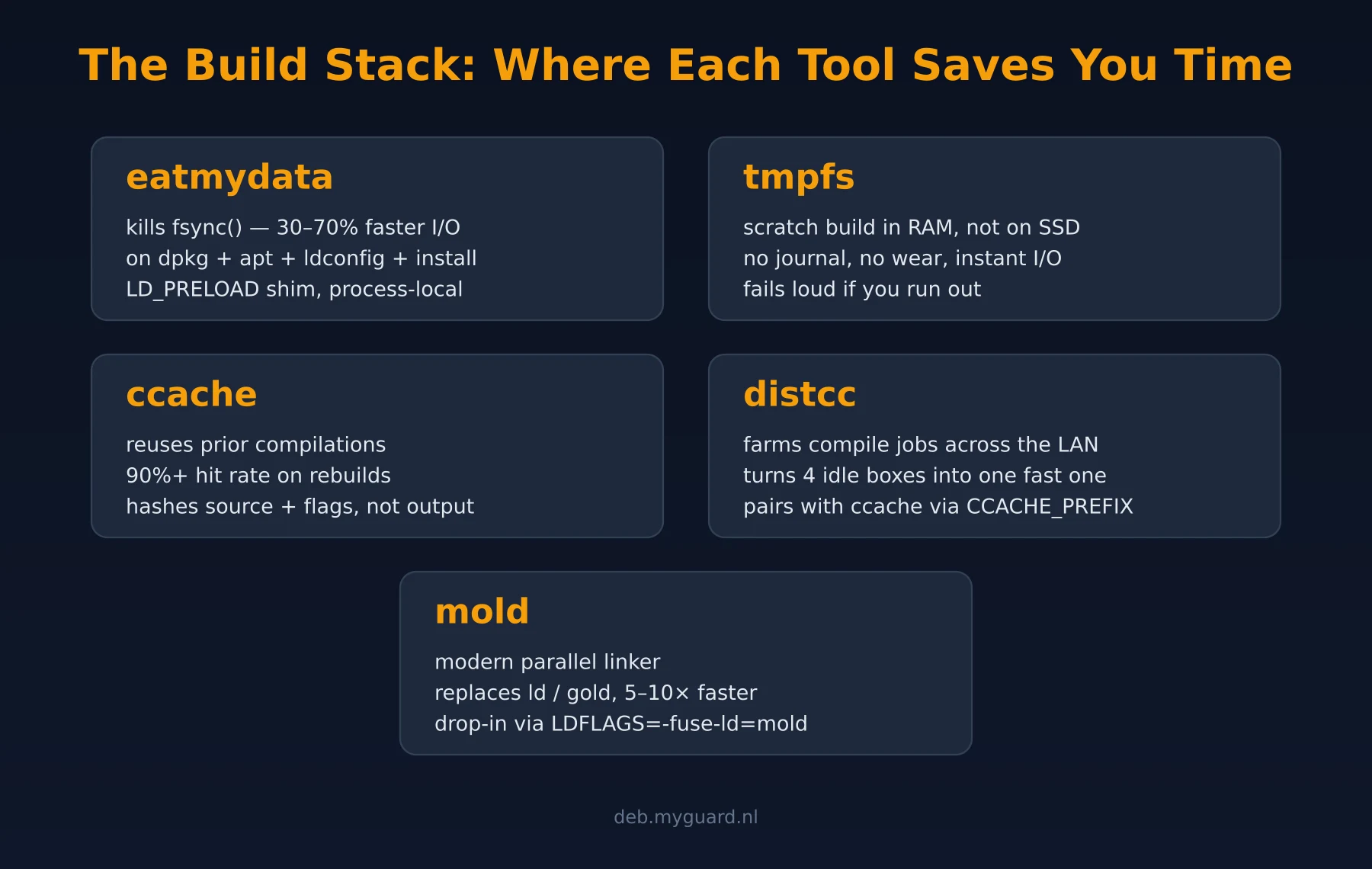
eatmydata: the world’s most aggressively named tool
The name is a warning and a promise. eatmydata is a small LD_PRELOAD shim that intercepts fsync(2), fdatasync(2), sync(2), msync(2), and the O_SYNC / O_DSYNC open flags, and turns every single one of them into a no-op. That’s it. That’s the tool.
Why does that help so much? Because dpkg is paranoid for very good reasons. When it installs a package on your laptop, it fsyncs every single extracted file before it considers the install complete. If your battery dies mid-install, you want your system to come back up. That’s the right default for production.
It is, however, the absurd default for a build chroot that lives for ninety seconds, gets discarded, and writes nothing you care about. You don’t need crash-safe writes for a tarball you’re going to rm -rf before lunch.
How to use it
apt install eatmydata
eatmydata apt install build-essential ...
eatmydata dpkg -i some.deb
eatmydata make install      # works for anything that calls fsync()
Anything that calls fsync downstream of the wrapper gets the no-op treatment. Wrap your whole build invocation, your apt, your make install, your CI script, wherever the fsyncs are coming from. On a fresh chroot or a from-zero CI environment, the dep-install phase alone often shaves 30 to 70 percent off wall-clock time before gcc has even started.
What it costs
Nothing, as long as you only use it where data loss is fine. Throwaway chroots, CI runs, test databases, scratch builds, local development trees: perfect. Anywhere you’d cry if a power failure corrupted the result: don’t. The name is the manual.
mold: the linker that finally cares about you
For decades, linking was the unspoken final boss of every C and C++ project. You’d compile in parallel across all your cores in twenty seconds, then sit watching one CPU at 100% for forty seconds while ld stitched the object files together. Single-threaded. Memory-hungry. Embarrassing.
gold (Google’s improved linker) helped a bit. lld (LLVM’s) helped more. Then Rui Ueyama, who also wrote lld, looked at the problem fresh and decided to write a linker that was multi-threaded and cache-friendly from the start. The result is mold, and on a typical link step it’s somewhere between 2× and 20× faster than ld.bfd. NGINX with twenty static modules links in about three seconds with mold versus thirty with ld. That’s not a typo.
How to use it
apt install mold

# One-off, for a single build of anything:
mold -run make
mold -run cmake --build .
mold -run ./configure && mold -run make -j$(nproc)

# Per-project, via the standard linker-selection flag:
export LDFLAGS="-fuse-ld=mold"

# System-wide, via update-alternatives (Debian trixie+, Ubuntu 24.04+):
update-alternatives --install /usr/bin/ld ld /usr/bin/mold 100
The mold -run form is the safest, because it intercepts exec*() calls and rewrites /usr/bin/ld to mold just for that command tree. No system-wide change, no surprises in unrelated builds.
What it costs
Almost nothing, in 2026. Three or four years ago mold had rough edges with weird linker scripts (kernel modules, embedded firmware, custom .lds files). Today, on userspace Debian/Ubuntu packages, it’s a drop-in. The one thing to watch: a small handful of packages parse the output of ld --version and choke if they don’t see “GNU ld”, usually configurable, occasionally not. For ninety-nine percent of packages, you’ll never notice.
ccache: don’t compile what you compiled yesterday
The premise of ccache is so obvious that the only mystery is why it isn’t on by default everywhere. It hashes your preprocessor output (or, in direct mode, the source file plus headers plus compiler flags). If it’s seen that exact hash before, it hands you back the cached .o file instead of running gcc. If it hasn’t, it runs the compiler and stores the result.
On a from-scratch build, ccache costs you a few percent (the hashing overhead). On the second build, even after a git pull that touches three files, you’ll see hit rates of 90 to 99 percent and a build that finishes in the time it takes to ld. On our build host, ccache turns a fourteen-minute NGINX rebuild into a ninety-second one. The other minutes are linking, packaging, and signing.
How to use it
apt install ccache

# Make gcc/g++ go through ccache:
export PATH="/usr/lib/ccache:$PATH"

# Or wire it in explicitly via your build's CC/CXX:
export CC="ccache gcc"
export CXX="ccache g++"

# Give it more space — default is 5GB, bump to 40 if you build a lot:
ccache --max-size=40G

# Check hit rate after a few builds:
ccache --show-stats
If your build runs inside a container, a chroot, or any ephemeral environment, mount the ccache directory in from the host so the cache survives across runs. In Docker that’s a -v ~/.ccache:/root/.ccache. In a chroot, a bind mount. In CI, a cache step that restores ~/.ccache between jobs. The pattern is the same everywhere: the wrapper goes inside, the cache directory lives outside.
What it costs
Disk space and one trap. The trap: ccache hashes the compiler binary path and a few sentinel flags. If you build the same source with two slightly different toolchains (say, gcc 14 on Debian trixie and gcc 13 on bookworm) you’ll get cache misses on every file. That’s the right behaviour. But if you accidentally include something volatile in the hash, like an absolute build path or __DATE__, your hit rate will tank. Set CCACHE_BASEDIR to normalize paths, and enable hash_dir=false if you’re sure builds are path-independent.
distcc: turn the office into one big CPU
You have one workstation, one home server, an old laptop in the closet, and a Raspberry Pi running Pi-hole. Combined that’s maybe sixteen cores. distcc says: stop wasting them. Run a tiny daemon on the other machines, point your build at them, and your compile jobs farm out across the LAN.
The trick is that gcc compiles each .c file into a .o file in isolation, no IPC, no shared state. That’s embarrassingly parallel, which is exactly the workload distcc exists to exploit. It runs the preprocessor locally (which needs your headers), ships the preprocessed source to a remote distccd, runs gcc there, ships the .o back.
How to use it
# On every helper machine:
apt install distcc
# Edit /etc/default/distcc — set ALLOWEDNETS=192.168.0.0/16 (or whatever)
systemctl enable --now distcc

# On the build host:
apt install distcc
export DISTCC_HOSTS="localhost/8 helper1.lan/8 helper2.lan/4"
export CC="distcc gcc"
export CXX="distcc g++"

make -j20   # parallelism = sum of all the /N slots above
Combine distcc with ccache by setting CCACHE_PREFIX=distcc, ccache handles the cache, distcc handles the actual compilation on misses. This is the classic stack and it works beautifully.
What it costs
Setup time and trust. Every helper must run the exact same gcc version, the same glibc target, and ideally the same Debian release, or you’ll get binaries that link locally but crash on the build host. Use distcc-pump mode if you want to skip the local preprocessing step (faster, but requires identical header trees). And never expose distccd to the open internet: it’s a remote code execution waiting to happen. ALLOWEDNETS exists for a reason; respect it.
tmpfs: put the whole build in RAM
Modern SSDs are fast. RAM is fifty times faster. A build that thrashes through ten thousand small files in a build/ directory will, no matter how nice your NVMe is, spend most of its time bouncing through the kernel’s page cache, journaling, and waiting on serialised syscalls. Move that directory into tmpfs and the kernel never even touches the disk.
This is the single highest-impact change for incremental rebuilds on a fast desktop. It also has the politest failure mode of every tool in this post: if you run out of RAM, the build fails loudly and obviously instead of producing a corrupted package. (You can also enable swap, but if you do that you’ve just moved the build back to disk, slower than where it started. Don’t.)
How to use it
# Permanent tmpfs scratch:
mkdir /build
echo "tmpfs /build tmpfs size=16G,mode=1777 0 0" >> /etc/fstab
mount /build

# Then point your build at it — examples:
make -C /build -f /path/to/project/Makefile
cmake -B /build/proj -S ~/project && cmake --build /build/proj
git clone ~/project /build/work && cd /build/work && ./configure && make
On a 32 GB workstation, a 16 GB tmpfs is comfortable for any single project build short of LibreOffice, Chromium, or the Linux kernel. For those, fall back to a fast SSD and pair it with eatmydata, you’ll get most of the win without the OOM risk.
What it costs
RAM, and a small amount of caution. tmpfs doesn’t survive reboot, which is exactly what you want for scratch space and exactly what you don’t want for the finished .deb. Make sure your post-build hooks copy the artefacts to durable storage. And don’t point your CCACHE_DIR at tmpfs, that defeats the entire point of a cache.
Putting it all together
Here’s the whole stack as a single shell snippet you can paste in front of any build, make, cmake, autotools, ninja, kbuild, the lot. Each line is independent; comment one out to measure its contribution.
# 1. tmpfs scratch (one-time, in /etc/fstab):
#    tmpfs /build tmpfs size=16G,mode=1777 0 0
cd /build && git clone --depth=1 https://example.org/project src
cd src

# 2. ccache wrappers ahead of real gcc/g++
export PATH="/usr/lib/ccache:$PATH"
export CCACHE_DIR=/build/.ccache
export CCACHE_MAXSIZE=40G

# 3. distcc — farm compiles across the LAN
export CCACHE_PREFIX=distcc
export DISTCC_HOSTS="localhost/8 build2.lan/8 build3.lan/4"

# 4. mold — modern parallel linker
export LDFLAGS="-fuse-ld=mold ${LDFLAGS:-}"

# 5. eatmydata — kill fsync on the install step
./configure --prefix=/build/install
eatmydata make -j$(distcc -j) install
The order in that snippet is also the order to enable them in if you’re starting from scratch. Each one is independently measurable. Time the build after each export and you’ll see exactly where your wall-clock minutes are coming from.
If you do build Debian packages, the same five exports drop into ~/.pbuilderrc, ~/.sbuildrc, a Dockerfile ENV block, or a GitHub Actions env: map with zero changes, the tools don’t care what’s calling them.
Things to watch out for
Three traps catch everyone at least once.
Trap one: eatmydata inside a chroot that escapes to the host. The LD_PRELOAD is process-local, but if a build script does something weird like nsenter into a parent namespace and writes a file there, that write is unprotected by your “I don’t care about fsync” promise. In ninety-nine percent of pbuilder workflows you’re fine. Watch out in custom CI.
Trap two: ccache caching the wrong thing. If your build embeds __DATE__ or __TIME__ in compiled output, every cache hit produces a binary with the wrong embedded timestamp. The Debian project (rightly) considers this a bug, reproducible builds depend on stripping that, but if you maintain an old codebase, audit for these macros first or you’ll ship stale-looking timestamps. Set SOURCE_DATE_EPOCH and call it done.
Trap three: mold plus weird link scripts. Kernel modules, EFI binaries, certain GNU-isms in linker scripts, these are the small remaining edge cases where mold still trips. If your build mysteriously fails at the link step with cryptic relocation errors, unset DEB_LDFLAGS_MAINT_APPEND and try again with the system ld. If that fixes it, file a bug with upstream mold; they’re responsive.
What about Bazel, Nix, sccache, and the rest?
Fair question. sccache is Mozilla’s ccache rewrite in Rust, with optional S3 / Redis backends for sharing the cache across a CI fleet. If you’re running cloud CI it’s worth a look; on a single build host, ccache wins on simplicity. Bazel and Nix achieve similar incremental wins through content-addressed builds, but they require restructuring how you build, which is a much bigger ask than “stick a wrapper in front of gcc.”
The five tools in this post share one virtue: they’re transparent. You don’t change a single line of upstream source. You don’t migrate your CI. You don’t learn a new build system. You install a deb, export a couple of variables, and watch your builds get faster. That’s why they’ve outlived every “next-gen build system” of the past fifteen years and will probably outlive the next ten.
Measuring the win
Don’t take anyone’s benchmarks at face value, including these. Time your own builds before and after, three runs each, throw out the slowest. Use /usr/bin/time -v, not the shell builtin, you want the resident-set-size numbers too so you know you haven’t blown your RAM budget.
/usr/bin/time -v make clean && /usr/bin/time -v make -j$(nproc) 2>&1 | tee before.log
# enable one tool (export PATH=/usr/lib/ccache:$PATH, etc.)
/usr/bin/time -v make clean && /usr/bin/time -v make -j$(nproc) 2>&1 | tee after.log
diff <(grep -E 'wall|user|sys|Max' before.log) \
     <(grep -E 'wall|user|sys|Max' after.log)
The numbers should be unambiguous. If they’re not, you’ve misconfigured something, usually PATH ordering on ccache or a typo in DISTCC_HOSTS. The signal is loud when these tools work; it’s effectively zero when they don’t.
FAQ
Is eatmydata safe to use in production?
For one-shot throwaway chroots and CI runs that produce a final .deb you’ll copy off and verify, yes, totally safe. For installing packages on a server you actually care about, no. The point of fsync is to guarantee that your filesystem state survives a power cut. eatmydata removes that guarantee. Use it where you can afford to lose the work; never where you can’t.
Will mold break anything in a normal Debian package build?
Almost never, in 2026. The handful of packages that still trip it are usually kernel modules with custom linker scripts, or firmware projects with hand-rolled .lds files. Mainstream userspace (NGINX, PHP, MariaDB, anything pulled from main) links cleanly. If you hit a snag, mold -run lets you test on one package without changing system defaults.
How much disk should I give ccache?
On a single-developer workstation, 10 to 20 GB is plenty. On a multi-distro build host that rebuilds dozens of source packages across bookworm, trixie, jammy, noble, and resolute, bump it to 40 to 80 GB. The hit rate plateaus around 90 to 95 percent once the cache is warm; beyond that you’re paying for diminishing returns.
Can I run distcc over the open internet?
No. distccd has no authentication and no encryption, it’s designed for trusted LANs. If you need to use it across a hostile network, tunnel it through SSH (distcc supports an –ssh transport explicitly) or run it inside a WireGuard mesh. Exposing distccd port 3632 to the internet is a remote code execution waiting to happen.
My build runs out of memory in tmpfs, what now?
You’ve hit the one real downside of building in RAM. Options: (1) shrink the build (most packages don’t need a 16 GB scratch space), (2) move just the hottest directories to tmpfs and leave the rest on SSD, (3) accept the SSD-based build and lean harder on ccache + eatmydata, which together still produce most of the win without the RAM pressure. Kernel and LibreOffice builds usually want the third option.
Does any of this conflict with reproducible builds?
Not if you’re careful. eatmydata, mold, tmpfs, and distcc are all reproducibility-neutral, they change wall-clock time, not output bytes. ccache only breaks reproducibility if your code embeds __DATE__ or __TIME__ at compile time; set SOURCE_DATE_EPOCH and the macros expand to a fixed timestamp, ccache hashes consistently, and your hashes stay stable. Debian’s reproducible-builds project recommends exactly this combination.
Related reading
- How to Install ModSecurity and OWASP CRS on NGINX: once your NGINX builds are fast, here’s what to actually build into it
- What Is Zstd? NGINX, Angie, History and Browser Support: the compression format that the same techniques here let us ship as a dynamic module
- Docker Hardening for Self-Hosters: once builds are fast you’ll start running more of them; here’s how to box them in
- The deb.myguard.nl APT repository: every package on this site is built with the stack in this post
Five tools. Five exports. About an hour to wire it all up. The next time you push a one-line patch and the rebuild finishes before your hand leaves the keyboard, remember: it isn’t magic. It’s just that the defaults were terrible, and someone finally fixed them.