
Zstd, short for Zstandard, is a lossless compression format designed by Yann Collet and open-sourced by Facebook in 2016. In plain English: it squishes files and HTTP responses so they travel faster, but the browser gets the exact original content back on the other side. No mystery meat, no quality loss, no weird “your CSS came back as soup” situation.
The reason people suddenly care is simple: Zstd tries to hit a very attractive middle ground. Gzip is old, dependable, and everywhere. Brotli often wins on compression ratio, especially for static assets, but it can ask for more CPU patience. Zstd aims for a sweet spot where compression is strong, decompression is very fast, and the tuning range is broad enough that you can bias for speed or ratio depending on your traffic. For web servers, that is a nice sentence to hear right before the graphs stop looking sad.
If you already read our zstd vs Brotli vs zlib-ng comparison for NGINX, this article is the prequel. This one answers the beginner questions: what Zstd actually is, why it exists, how it got here, which browsers support it, and how we use it in our NGINX builds and our Angie builds.
What is Zstd, exactly?
Think of web compression like packing a suitcase. Gzip is the sturdy old suitcase your parents used for twenty years. Brotli is the fancy vacuum bag that can squeeze a shocking amount into a tiny space, but sometimes makes packing slower. Zstd is the smart carry-on with wheels, a charger, and just enough room to keep airport drama to a minimum.
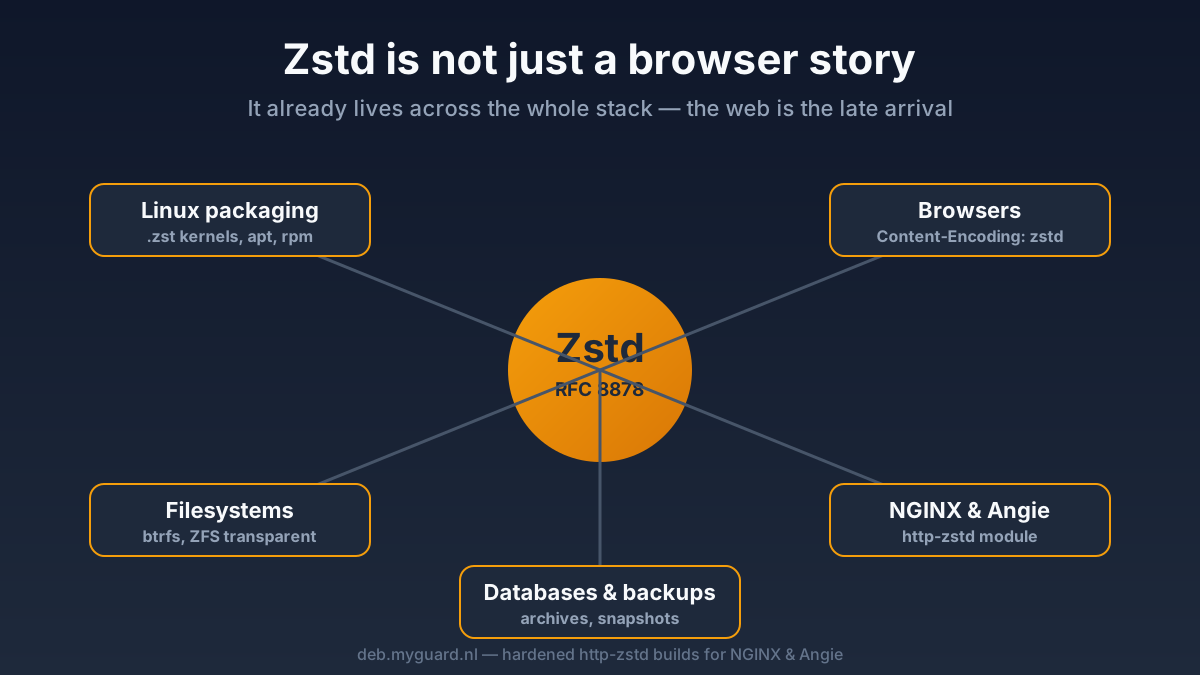
Technically, Zstd is a modern lossless compression algorithm standardized in RFC 8878. It is designed to offer a wide speed-versus-ratio range, fast decompression, and optional dictionary compression for repeating small payloads. Outside the web, that made it popular in places like Linux packaging, filesystems, databases, and backup tools long before browsers started speaking zstd in HTTP.
That “lossless” part matters. When a browser receives Content-Encoding: zstd, it decompresses the body back to the original HTML, CSS, JavaScript, JSON, or SVG byte stream. Nothing is thrown away. The whole trick is just moving fewer bytes across the wire.
Why does Zstd exist?
Because the internet is rude. Pages got bigger, APIs got chattier, CPUs got faster, and nobody wanted to choose between “tiny responses” and “reasonable server load” forever. Zstd was created to improve on the trade-off that older formats left on the table.
The official project describes Zstd as a fast compression algorithm with high compression ratios and an extremely fast decoder. That decoder speed is a big deal for the web. Compression happens on your server, but decompression happens on every client device. If decompression is lightweight, the format becomes much more practical for browsers and mobile devices.
That is also why Zstd spread beyond websites. Package managers adopted it because installs and updates benefit from fast decompression. Filesystems liked it because “smaller on disk but still quick to read” is basically catnip for infrastructure engineers. Once browsers added support for HTTP Content-Encoding: zstd, the web finally had a reason to bring that momentum into day-to-day page delivery.
A short, useful history of Zstd
Zstd was initially released in 2015, then open-sourced publicly in 2016. The format later landed in the IETF standards process, which is why it now has a proper RFC instead of just “trust us, this GitHub repo looks serious.” Over the following years, it spread through Linux and infrastructure tooling: kernels, package formats, storage layers, databases, and archive utilities all started adopting it.
The web side moved more slowly. For a while, Zstd was the compression nerd’s favorite party trick: powerful, promising, but not broadly useful for public sites because browsers were not asking for it yet. That changed in 2024 when Chromium-based browsers began supporting Zstd content encoding, followed by Firefox. Safari support arrived later and more awkwardly, which is about as surprising as rain being wet.
By 2026, the picture is much better. The current browser landscape is finally good enough that Zstd has moved from “interesting lab experiment” to “real production option,” especially when used as an addition to gzip and Brotli rather than a reckless replacement for everything.

Which browsers support Zstd?
Modern browser support is now real, not imaginary marketing support. Based on current MDN and Can I Use data, Zstd content encoding is supported in Chrome and Edge from version 123, Firefox from version 126, and Opera from version 109. Safari and Safari on iOS joined later, with newer-version caveats. In other words: the big modern engines are catching up, but Apple took the scenic route.
| Browser | Zstd HTTP support | Practical note |
|---|---|---|
| Chrome / Edge | 123+ | Good modern baseline |
| Firefox | 126+ | Now fully in the club |
| Opera | 109+ | Supported on desktop |
| Safari | Newer releases only | Treat as improving, not universal |
| iOS Safari | Newer releases | Much better than it was, still version-sensitive |
The important production takeaway is not “great, delete gzip.” The real takeaway is: keep sane fallbacks. Clients advertise what they support with the Accept-Encoding request header. Today, common modern browser requests can include gzip, deflate, br, zstd. Your server should negotiate the best option the client actually supports and keep older or partial-support clients on gzip or Brotli where needed.
Which web servers support Zstd?
This is where things get gloriously uneven.
Caddy has first-class Zstd support in its encode directive. In fact, Caddy documents zstd and gzip as the default enabled formats if you use encode with no arguments. That is a clean, built-in experience.
Stock NGINX, on the other hand, still documents gzip and gzip_static as its standard compression path. If you want Zstd in NGINX, you need a third-party module. That is exactly why our builds package the hardened http-zstd module. The same story applies to Angie in our repository: Zstd support comes from the module, not from a magical checkbox hidden in the attic.
Apache httpd remains much more old-school here. Its official mod_deflate documentation still centers on gzip-compatible DEFLATE output. So if your question is “does every major web server do native Zstd out of the box now?”, the answer is no. The ecosystem is moving, but it is not uniform yet.
How we use Zstd in NGINX and Angie
The module in modules/nginx/http-zstd ships two practical pieces: a filter module for dynamic compression and a static module for serving pre-compressed .zst files. The README’s recommended baseline is refreshingly boring, which is good. Boring config is how production stays married.
http {
    zstd             on;
    zstd_comp_level  3;
    zstd_min_length  1000;
    zstd_types       text/plain text/css application/json
                     application/javascript text/xml application/xml
                     application/xml+rss text/javascript image/svg+xml;

    gzip_vary        on;

    server {
        location /api/ {
            proxy_pass http://backend;
        }

        location /static/ {
            zstd_static on;
            root /var/www;
        }
    }
}
Here is what matters:
zstd on;enables dynamic compression for matching responses.zstd_comp_level 3;is the module’s documented all-around default and a sensible starting point.zstd_min_length 1000;avoids wasting CPU on tiny responses that often get bigger when compressed.zstd_typescontrols which MIME types are eligible. Text, JSON, JS, XML, and SVG are the obvious wins.gzip_vary on;is important even with Zstd, because you still needVary: Accept-Encodingso proxies and caches do not hand the wrong compressed variant to the wrong client.zstd_static on;tells the static module to serve pre-compressed.zstfiles when the client accepts them.
The module also documents extra controls like zstd_max_length, zstd_buffers, zstd_target_cblock_size, and zstd_dict_file. The last one comes with a very important warning: dictionary compression is not generally safe for public web traffic unless you fully control both ends, because plain HTTP content negotiation does not magically tell the client which dictionary was used. Translation: dictionary compression is cool, but do not sprinkle it on your public site like parmesan.
If you want the module in ready-to-use packages instead of compiling your weekend into dust, our NGINX modules builds and Angie modules builds package that work for you. For the broader tuning story around TLS, HTTP/3, caching, and modules, our expert NGINX and Angie guide picks up where this article stops.
Is Zstd production-ready?
Yes, with one adult-sized caveat: use it like an addition to your compression strategy, not a religion.
The format itself is mature. The library is widely used. The browser support story is now good enough to matter. Our hardened NGINX module fork is explicitly production-oriented, with regression tests, ASAN and UBSAN coverage, continuous fuzzing of the Accept-Encoding parser, and ongoing CI. That is not “some guy pushed a tarball in 2019 and vanished into the hills.”
What is not mature yet is universal deployment symmetry. Not every browser version supports Zstd. Not every web server ships it natively. Not every CDN or proxy path will behave the way you hope if you make reckless assumptions. So the safe production pattern is:
- Keep gzip as the universal fallback.
- Use Brotli where it already makes sense for static assets.
- Add Zstd for modern clients that advertise support.
- Use
Vary: Accept-Encodingcorrectly. - Measure real CPU, latency, and cache behavior instead of composing fan fiction from benchmark charts.
That is the boring answer. It is also the answer that does not wake you up at 3 a.m.
Frequently Asked Questions
Is Zstd better than gzip?
Often, yes, especially when you care about fast decompression and a strong speed-to-ratio balance. But “better” depends on your clients, traffic shape, and how much CPU you want to spend. Gzip is still the universal fallback because everybody understands it.
Is Zstd better than Brotli?
Not in a simple winner-takes-all way. Brotli can still be excellent for static assets when you want maximum squeeze. Zstd is attractive because it is very fast, flexible, and increasingly supported, especially for dynamic content and broader infrastructure use.
Does stock NGINX support Zstd by default?
No. Stock NGINX documentation still focuses on gzip and gzip_static. To serve Content-Encoding: zstd with NGINX, you need a module such as the hardened http-zstd module we package.
Can I use Zstd on a public website right now?
Yes, but do it sensibly. Offer Zstd only to clients that actually advertise support, and keep gzip or Brotli as fallbacks. Production is about graceful negotiation, not emotional commitment.
Should I use dictionary compression for website responses?
Usually no, not for normal public traffic. The module documentation warns that HTTP does not include built-in dictionary discovery for regular Content-Encoding: zstd responses, so dictionary use is mainly for controlled environments where you manage both ends.
Is Zstd only for websites?
No. That is part of why it is interesting. Zstd is heavily used in packaging, filesystems, databases, backups, archives, and other infrastructure tooling. The web is joining a party that Linux and backend systems started years ago.
Related Posts
- zstd vs Brotli vs zlib-ng: The NGINX Compression Showdown: if you want a side-by-side compression strategy decision instead of the history lesson.
- NGINX Modules optimized & extended: the package page for our NGINX builds with the extra module set.
- Angie modules optimized & extended: the Angie counterpart if you prefer the NGINX fork with extra features and a friendlier pace.
- Nginx & Angie: The Expert Guide to Maximum Performance and Security: the bigger tuning guide for people who came for compression and stayed for the whole server stack.
Zstd is not magic. It is just a very good tool that finally arrived where normal web admins can use it without feeling like they joined a secret compression cult. That alone makes it worth paying attention to.
See also: HTTP/3 and QUIC on NGINX: Setup and Tuning (2026).